 Paintlustrator
Create on iPad. Keep your SVG.
Looking for a free SVG editor for iPad?
Paintlustrator is a free vector drawing app for iPad that lets you create artwork and export SVG files without paying for export. Draw with Apple Pencil or touch, organize your artwork with layers, and save or share your finished SVG.
It’s designed for creating your own drawings on iPad. You can also import a PDF page or photo as a reference and draw above it. Importing existing SVG files for editing is not currently supported.
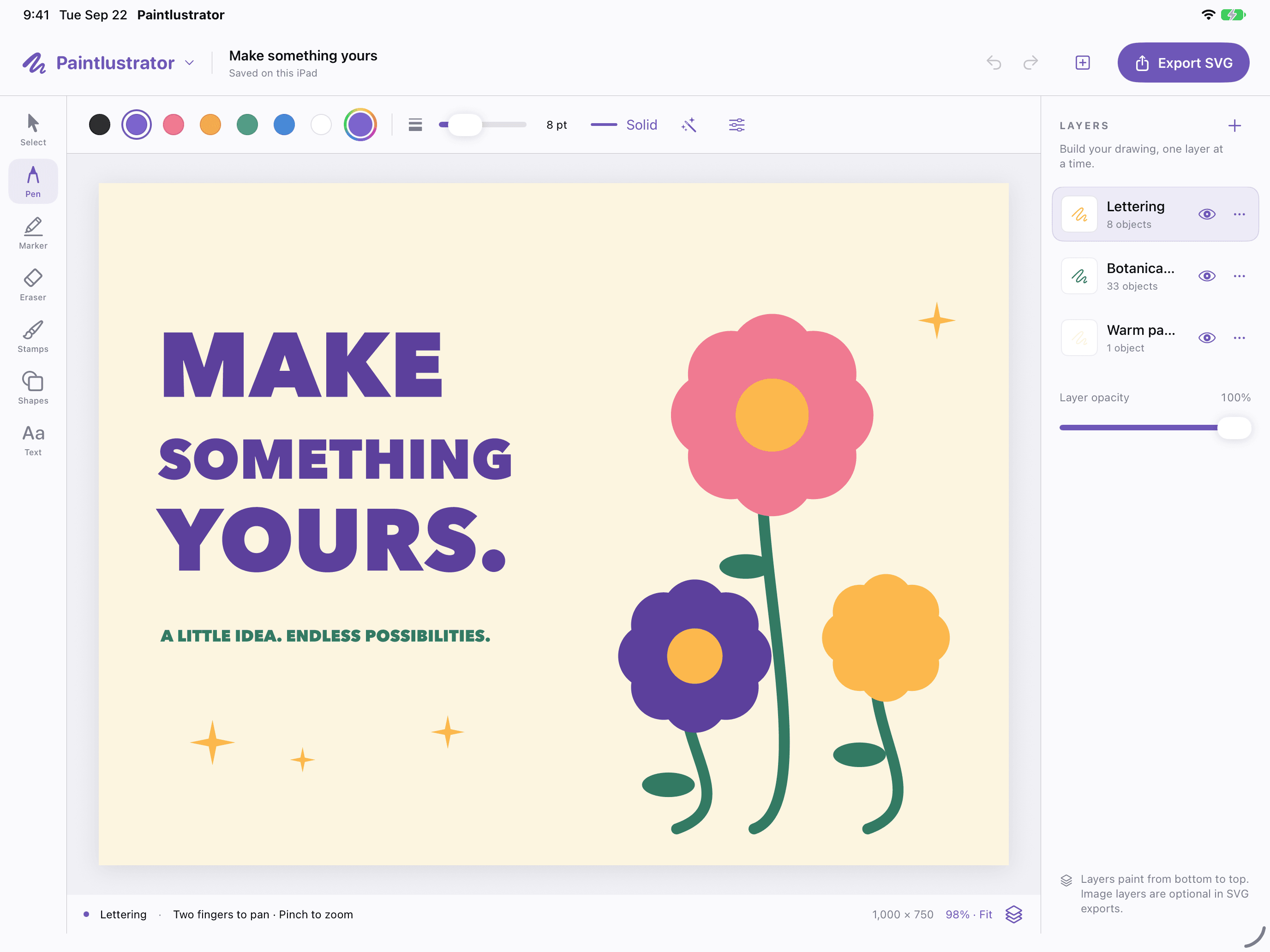
Create on your iPad. Export your SVG for free.
SVG export is included without a subscription or export purchase. When your drawing is ready, open Export and save the SVG to Files or share it with another app.
Keep the editable Paintlustrator project too, so you can return to your drawing and its layers later.
Start with a PDF instead of a blank canvas
Import a PDF, choose a page and its quality, and use it as the starting point for your artwork. Add a separate drawing layer to sketch or trace above the imported page.
PDF pages are imported as reference images. Paintlustrator does not automatically convert PDF content into editable vector paths.
What can you do with Paintlustrator?
- Create drawings with Apple Pencil or touch.
- Organize artwork on separate layers.
- Import PDF pages and photos as references.
- Undo and redo changes while drawing.
- Save projects locally on your iPad.
- Export SVG files for free.
- Start drawing without creating an account.
Common questions
Is Paintlustrator free to download?
Yes. Paintlustrator is set to be free to download, and SVG export is included at no charge.
Do I need a subscription to export SVGs?
No. SVG export does not require a subscription or an additional purchase.
Can I edit an existing SVG file?
Paintlustrator currently focuses on creating drawings and exporting them as SVGs. Importing an existing SVG for editing is not supported.
Can I import a PDF and draw over it?
Yes. Import a PDF page as a reference, then draw above it using separate layers.
Does it support Apple Pencil?
Yes. You can draw with Apple Pencil or touch.
Do I need an account?
No. Paintlustrator requires no sign-in, and projects are saved locally on your iPad.
Try the workflows
- How to create and export an SVG on iPad for free
- How to import a PDF and draw over it on iPad
- Creating SVG drawings vs. editing existing SVG files
Make something your own
Paintlustrator has been submitted to the App Store and is awaiting review. It will be free to download when released.